

Off-the-shelf booking software is the right buy for most NZ businesses that sell a time slot with one person. Applicable builds custom booking systems, from NZ$8,999, when a booking has to reserve several things at once, follow rules by customer or site, or feed straight into the jobs, invoices and records you already keep.
Start with the calendar test
Think about the last booking that went wrong. If it was a double-booked appointment or a no-show, off-the-shelf booking software fixes that well. If it was a room booked without the equipment, a job booked without the right qualified person, or a price that should have been different for that customer, your booking is not an appointment. It is a set of rules, and the subscription tools were not built for your rules.
That is the honest dividing line. What matters is whether a booking is one slot in one calendar, or several resources that all have to line up.
What off-the-shelf booking software does well
The subscription tools cover the standard path: show available times, let the customer pick one, take a deposit or payment, send a confirmation and reminders, and sync with the staff calendar. They include a booking page, a customer list and basic reports. They are supported by someone else and cost a monthly fee per user or per location.
Buy one if you sell appointments with a person, a class with a fixed number of spots, or a table at a set time. That is the majority of NZ salons, clinics, studios and service businesses, and there is no reason to build.
Where off-the-shelf runs out
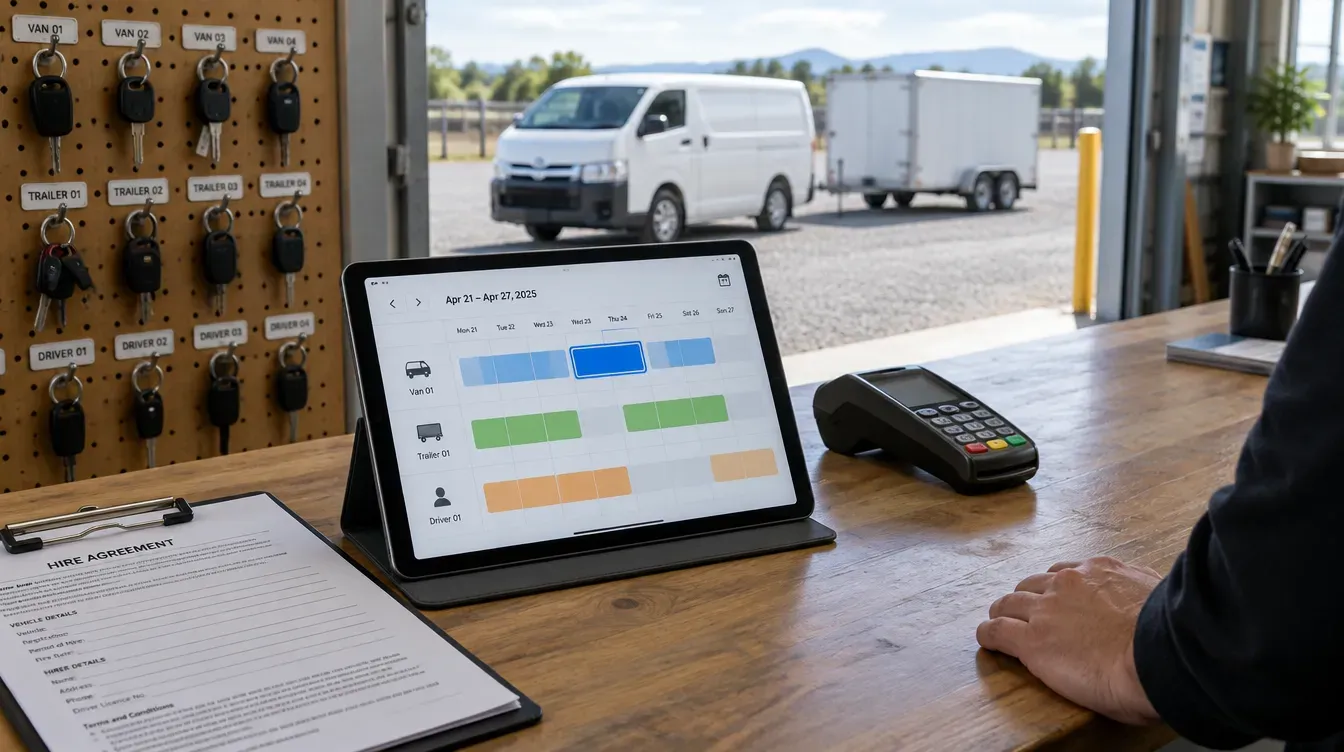
One booking, several resources. A hire that needs a vehicle, a driver and a trailer. A treatment that needs a room, a machine and a qualified practitioner. Subscription tools book one calendar well and several at once poorly, so staff check the rest by hand.
Rules about who can book what. Members before the public, trade accounts with their own windows, sites that only some customers may book, minimum notice that changes by service. Some tools offer settings for a few of these; few let you combine them.
Pricing that is a calculation. Rates by duration, season, customer group or distance travelled. The booking tool has a price per service. It does not have your formula, so someone fixes the invoice later.
A booking that starts a job. If a booking should create a job sheet, assign a crew, reserve stock or open a compliance record, the subscription tool ends where your real work begins. Someone re-keys it.
Comparison
| Off-the-shelf booking software | Custom booking system (Applicable) | |
|---|---|---|
| Best for | Appointments, classes, tables | Several resources, rules by customer or site |
| Upfront cost | Low; monthly per user or location | Fixed price, from NZ$8,999 |
| Time to start | Days | Weeks |
| Resources per booking | Usually one | As many as the booking needs |
| Booking rules | Settings the tool offers | Your rules, written down and tested |
| Pricing | Price per service | Your formula |
| After the booking | Confirmation and reminder | Creates the job, invoice or record you need |
| Ownership | Rented | You own the code |
Payments are not the hard part
Business owners often assume taking payment is what makes a custom booking system expensive. It is usually one of the most straightforward pieces, because the major payment providers have well-documented interfaces. Taking a deposit or full payment is a scope item, confirmed in the first briefing and quoted in writing.
The expensive part is getting the booking rules out of people's heads and into something testable. That is also where the value is: once the rules are written down and the system applies them, anyone on the team can take a booking correctly, and the owner stops checking every one.
How to decide
- Do the calendar test above.
- If a booking is one slot with one person, buy a subscription tool. Done.
- If a booking is several resources, rules or a price calculation, count the hours per week spent checking, fixing and re-keying bookings.
- If that number is material, book a briefing. Applicable will size it early and say plainly if a subscription tool would do.
What it costs
Applicable prices customer applications, which include booking services and portals, from NZ$8,999. It is one fixed price, written down before we start, and the system is live in weeks. Every build starts from the same base: user login, role based access control and user management for your admins, plus up to four main features across up to 15 screens. Anything extra is quoted separately, so there are no surprises.
A booking system that also needs customers to log in and see their bookings is close to a customer portal. Our guide to who builds client portals for NZ small business covers that side.
Weighing up other tools? We have written the same comparison for CRM, job management software, quoting software and inventory software.
Key takeaways
- If a booking is one time slot with one person, off-the-shelf booking software is the right buy.
- If a booking has to reserve several resources, follow rules by customer or site, or calculate a price, a custom system earns its cost.
- Taking payment is a standard scope item, not the expensive part of a custom build.
- The value of a custom system is writing your booking rules down so anyone on the team can apply them.
- Applicable prices custom booking systems from NZ$8,999, at one fixed price written down before we start.
Faq
Do I need custom booking software or a subscription tool?
If you sell a time slot with one person, a class or a table, a subscription tool is the right choice. If each booking has to line up several resources, follow your own rules or calculate a price, a custom booking system removes the checking and re-keying.
How much does a custom booking system cost in NZ?
Applicable prices customer applications, including booking services, from NZ$8,999. It is one fixed price, written down before we start. Anything extra is quoted separately, so there are no surprises.
How long does a custom booking system take?
It is live in weeks. The number is confirmed in writing before the build starts, because it depends on how many features and rules the system needs.
Can a custom booking system take payments?
Yes. Taking a deposit or full payment through a payment provider is a scope item, confirmed in the first briefing and quoted in writing.
Can a booking create a job or an invoice automatically?
Yes. That is one of the main reasons to build. A booking can create a job sheet, assign staff, reserve equipment or raise an invoice, so nobody re-keys it.
Do I own a custom booking system?
Yes. Applicable builds it on your own domain and you own the code, so you are not renting access to it.